Skip to content
Back to projects
AI2026

SiteMind

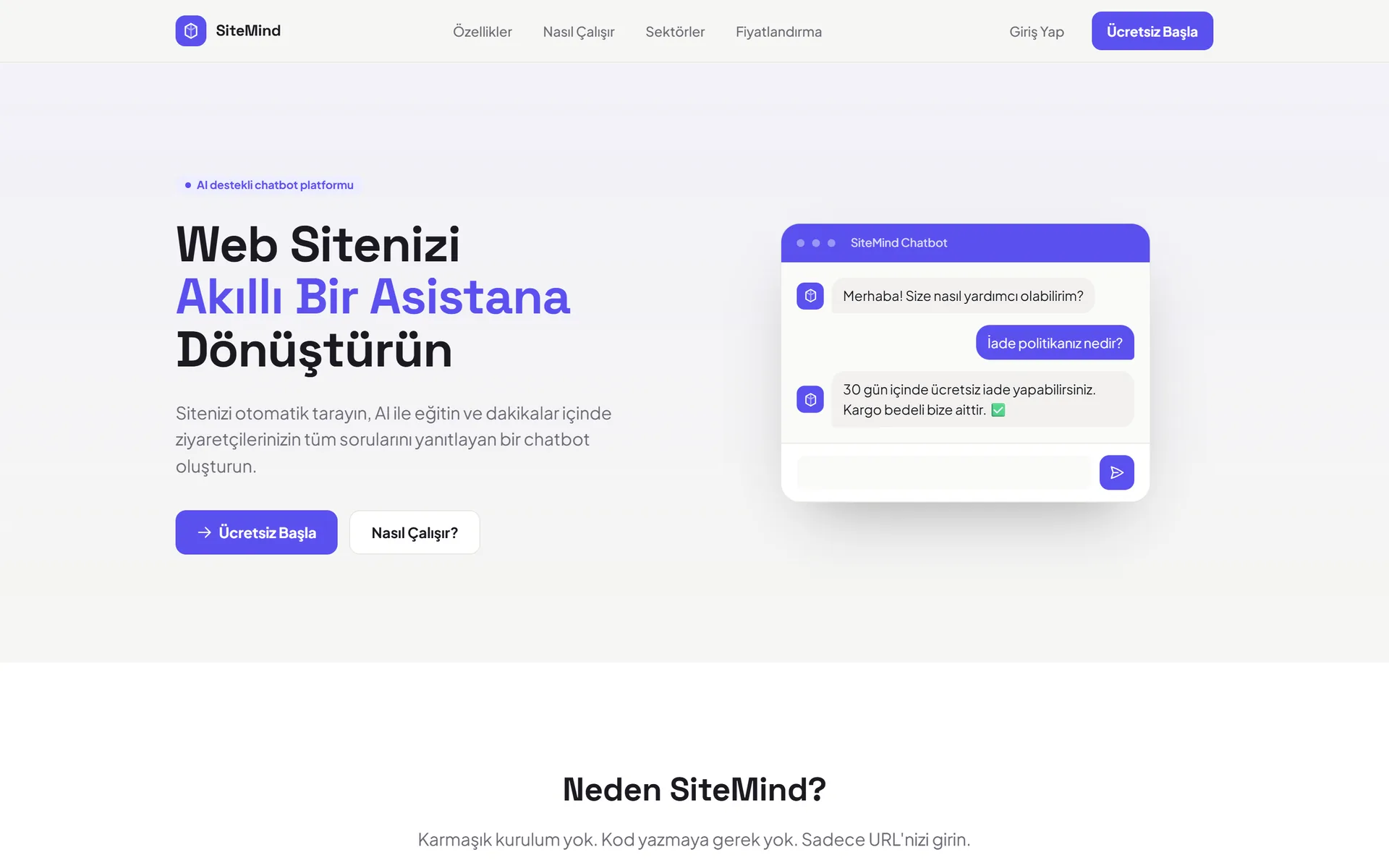
An AI platform that crawls a website and turns it into an assistant able to talk about its own content.

The SiteMind landing page
Company
DizaynGrup
Period
2026 — ongoing
My role
On the development team
Area
RAG, retrieval, product UI

Technologies

  • RAG
  • Embeddings
  • Vector Search
  • LLM
  • Machine Learning
  • Web

Overview

The project I am working on right now, and the most comprehensive one I have been part of. The user only enters a URL; the platform crawls the site, embeds the content, trains on it, and produces a chat widget ready to drop into the site — backed by a full SaaS dashboard covering projects, analytics, team management and billing.

From URL to chatbot

The promise was a single sentence: no complex setup, no code, just enter your URL. Keeping a promise that short meant hiding a long chain behind it.

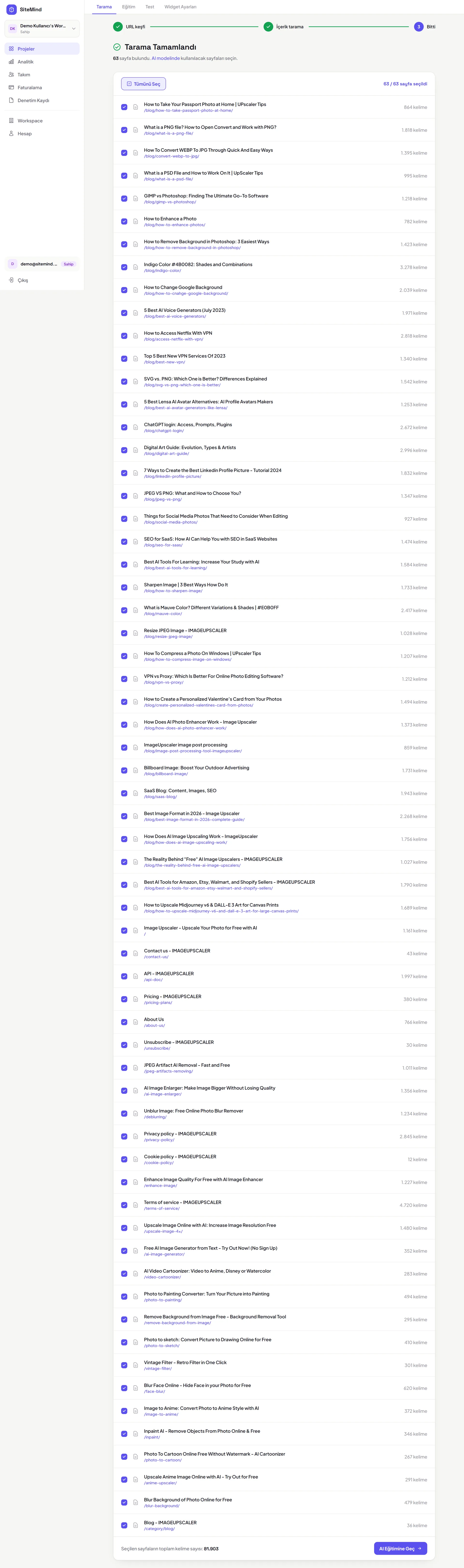
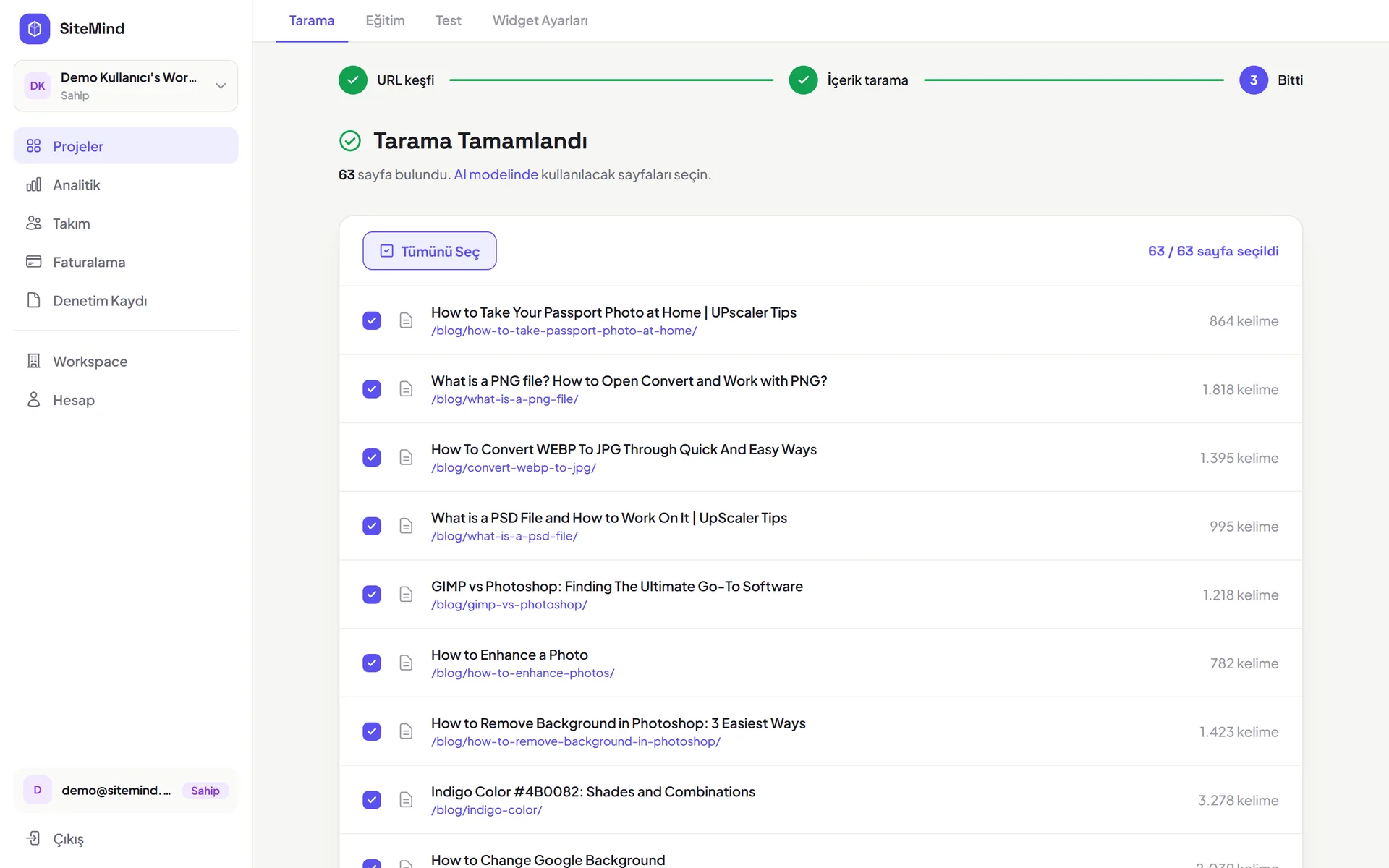
When a user creates a project the crawl starts and its progress streams live. Once it finishes, the discovered pages are listed and the user picks which ones go into training — on a corporate site you rarely want the careers page inside the chatbot. After the selection, training runs, again with live progress.

Not leaving the user on a blank loading screen during long jobs turned out to be the biggest single reason the product felt trustworthy. Technically there was a background queue; from the user’s side, saying "working" was not enough — they had to see *what* was working.

The shape of an answer is part of the answer
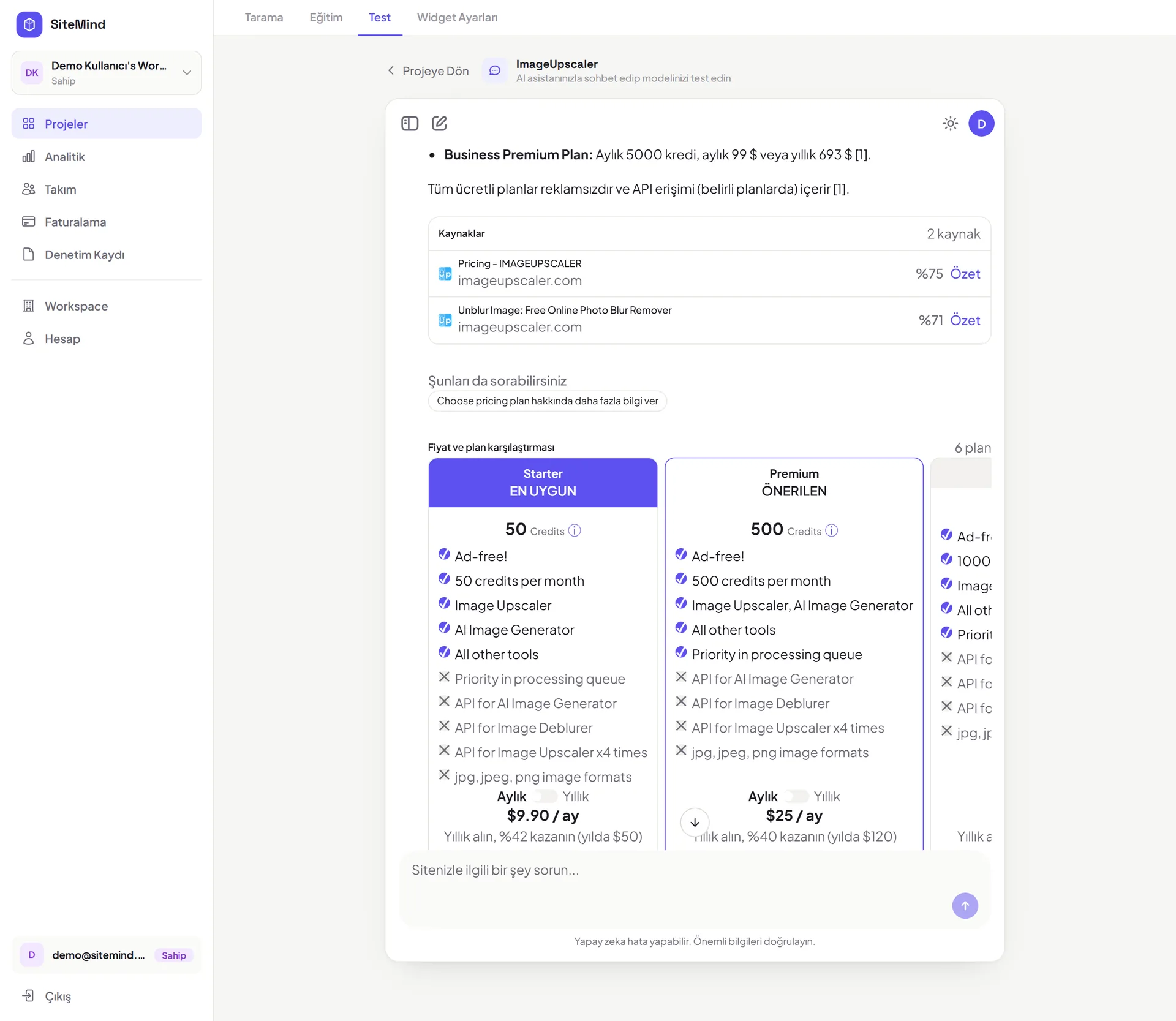
The chat surface does not only return plain text. Depending on the question, the model had to produce structured output: a price table when asked about pricing, product cards when asked about products.

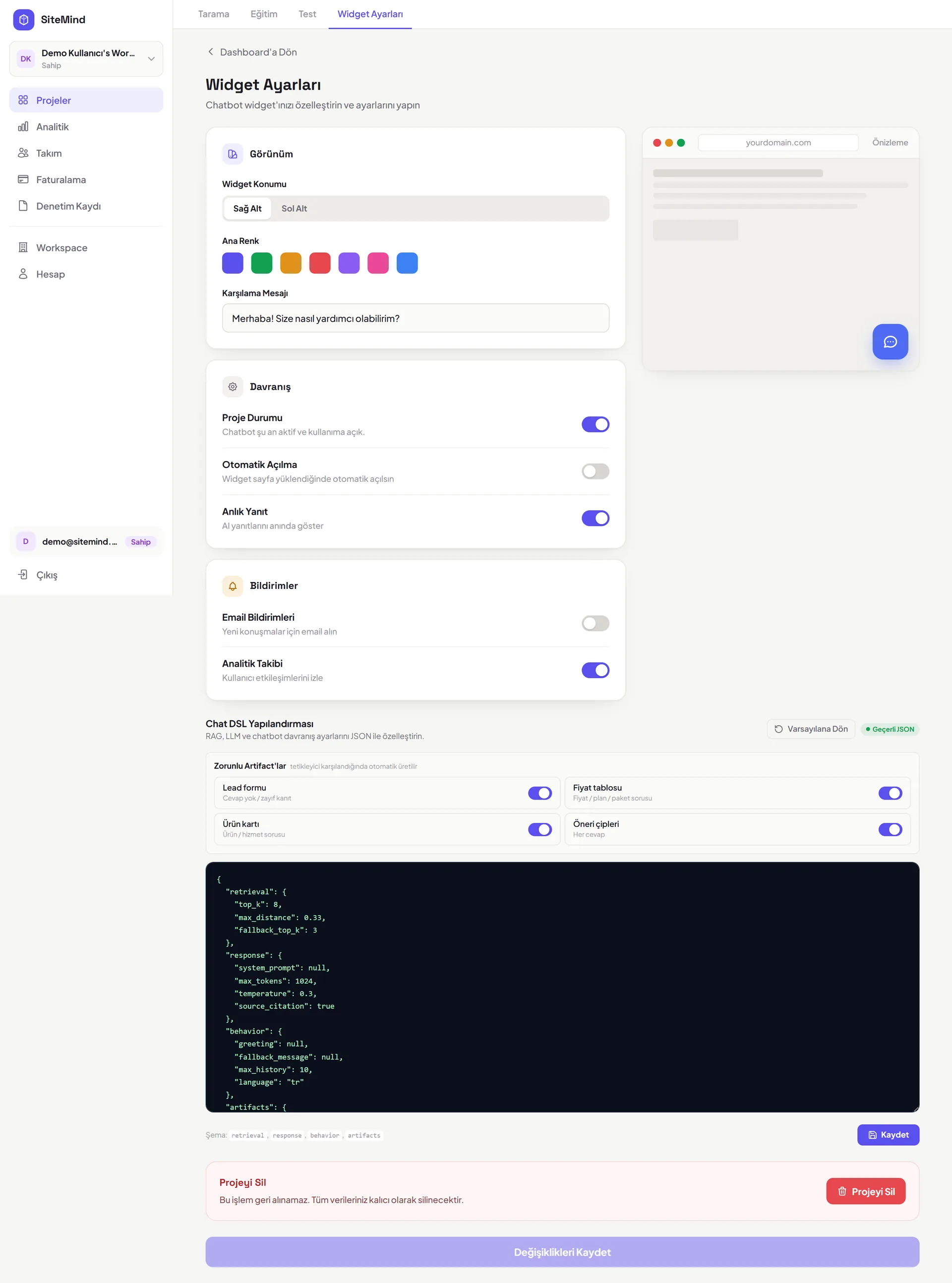
What made that possible was the chat DSL in the widget settings. It defines which case turns into which component, so instead of writing bespoke interface code per customer, configuration is enough.

That was a decision the product’s ability to scale depended on. Writing fifty custom interfaces for fifty customers is not possible; handing them the same engine under different configurations is.

Knowing what it doesn’t know

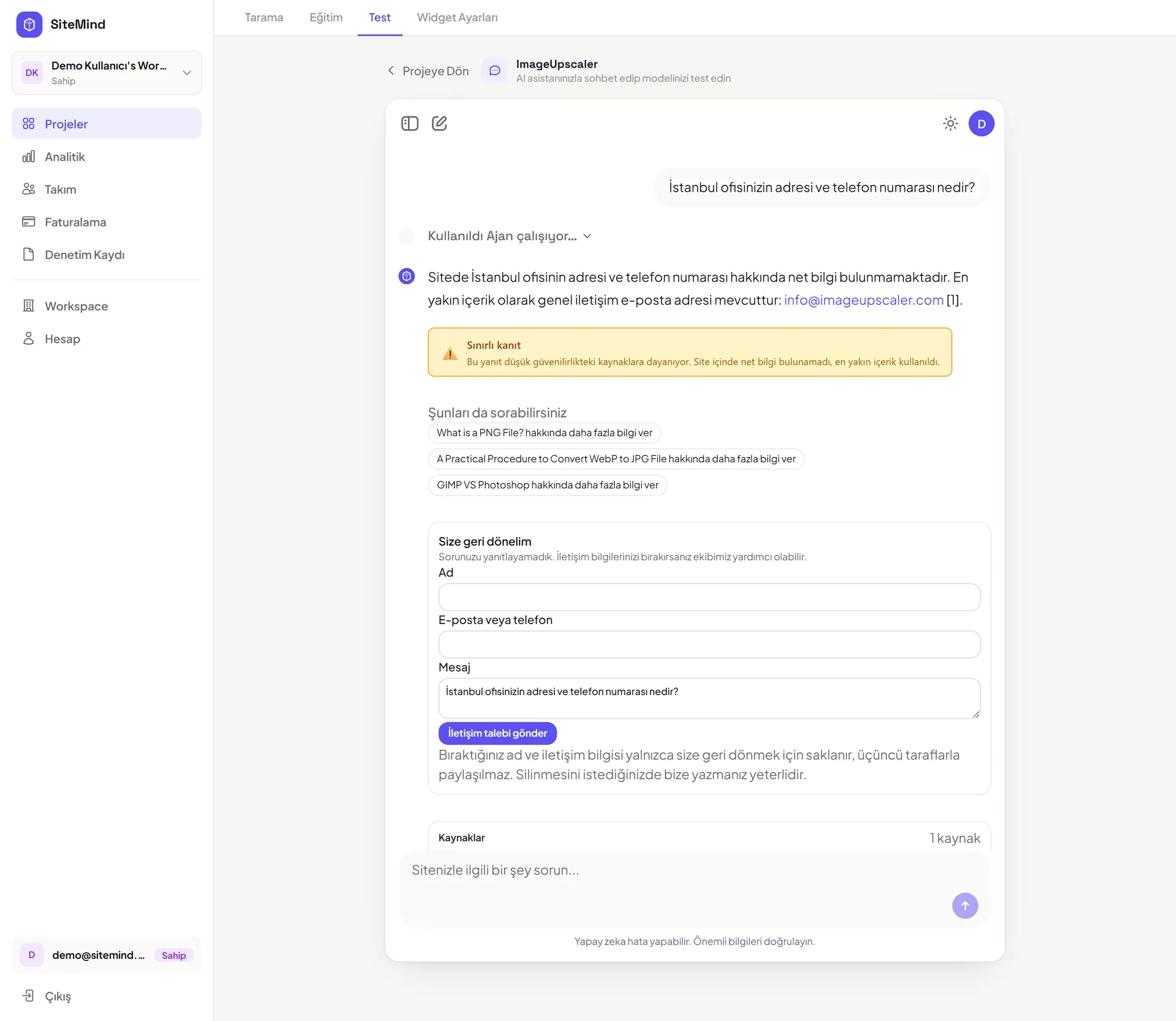
The hardest part of working with RAG was deciding what the model should do when its sources are thin. Making something up is the worst outcome; a flat "I don’t know" loses the visitor.

The answer sat between the two: when the evidence is limited the model says so plainly and hands the conversation to a lead form. An unanswerable question becomes a prospect leaving their details rather than a visitor leaving the site.

What I learned there was more product than technique: an AI feature is not judged by the moments it answers correctly, but by how it handles the moments it cannot.

The chatbot is only the visible surface

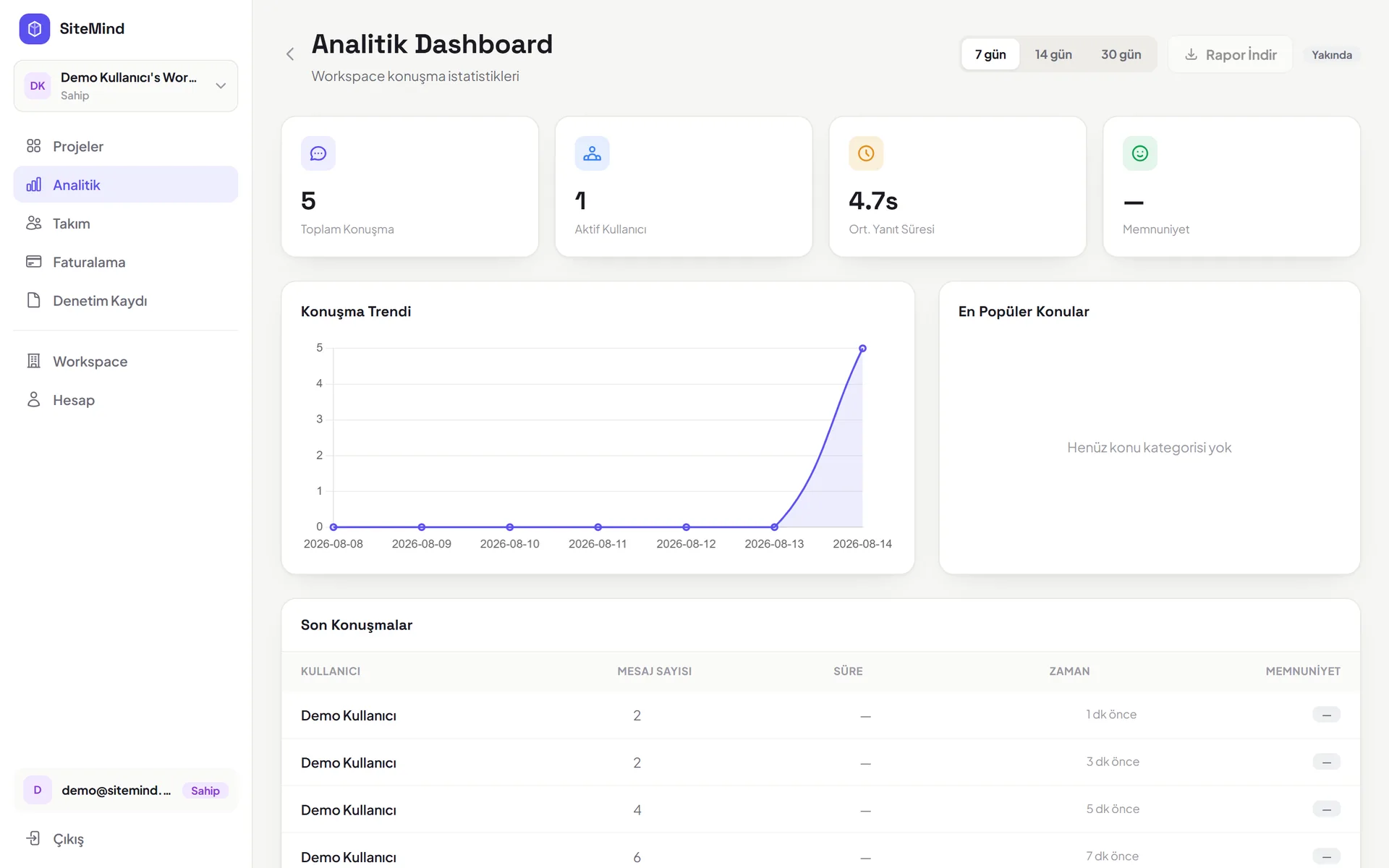
When I joined I assumed the weight of the work would sit on the retrieval side. In reality most of the time went into the layer around it: projects, analytics, team management, billing, pricing and auth flows.

A customer does not buy the chatbot; they buy their account, their team, their usage limit and their invoice. The chatbot is a feature inside all that.

This project showed me that an AI feature is not a product on its own. The model’s quality sets the product’s ceiling, but that unglamorous surrounding layer sets its floor.

What this project taught me

It was the first time I took embeddings, vector search and retrieval out of theory and into a real product. I learned there how much chunk size changes answer quality, and that better retrieval usually beats a bigger model.

On the ML side I saw how hard evaluation is. There is no automatic measure for "is this a good answer"; past a certain point you have to test by hand, with real questions on real sites.

This is the most comprehensive work I have been part of so far. Knowing that a component I wrote is answering a visitor of a company I have never met carries a different kind of responsibility than my earlier projects did.

Gallery

  • Live crawl progress
    The crawl streams live, so the user can see what is running.
  • Page selection
    The user decides which pages go into training.
  • Price table output
    A pricing question comes back as a table rather than prose.
  • Limited evidence and lead form
    When evidence is thin the model says so and hands off to a lead form.
  • Widget settings and the chat DSL
    The DSL that defines answer shapes — where the product’s scalability comes from.
  • Analytics dashboard
    A slice of the SaaS layer surrounding the chatbot.

Other projects